React 快速接入 jessibuca.js 播放器
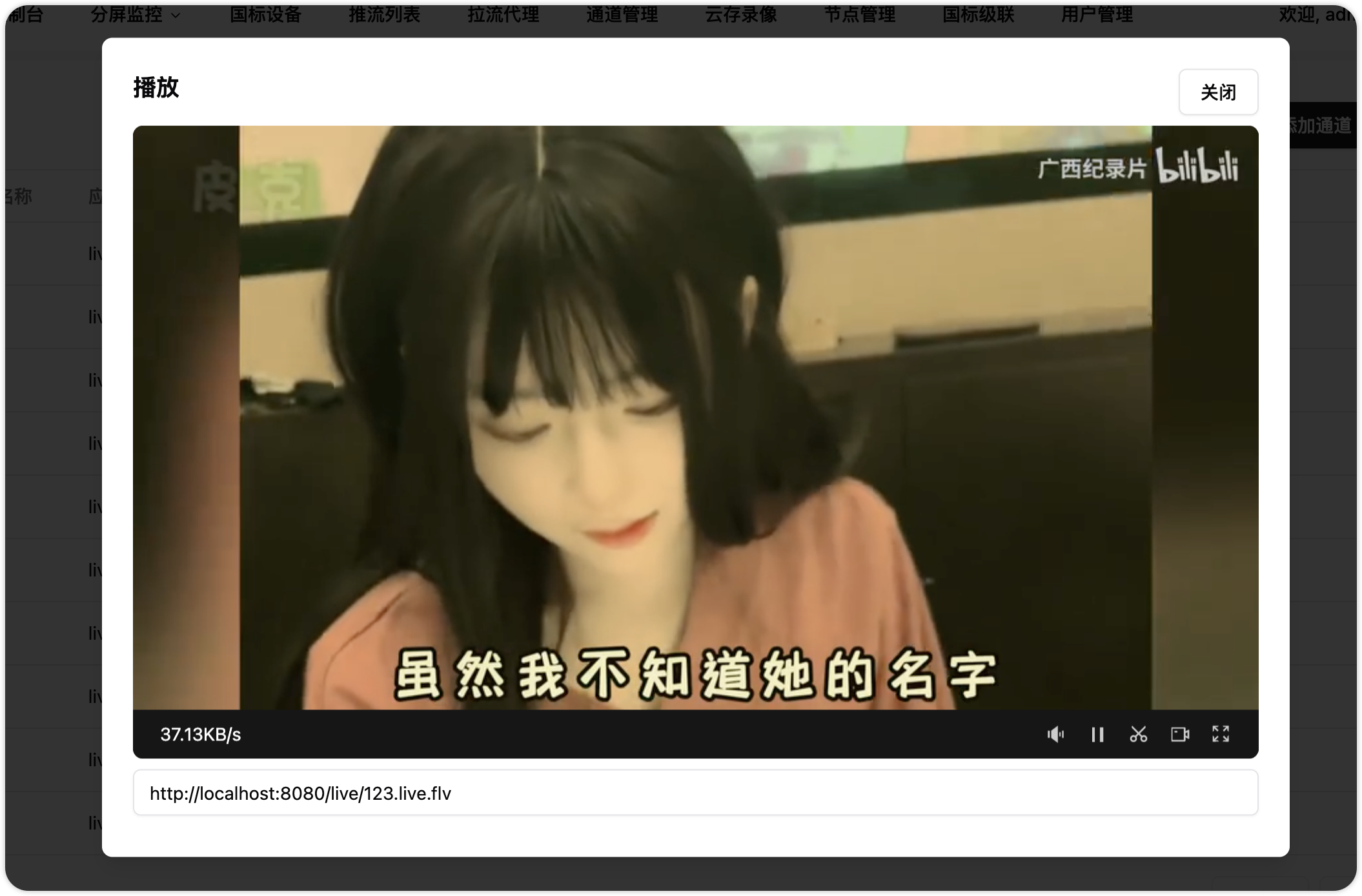
先看效果图
第一步 拷贝文件到项目中
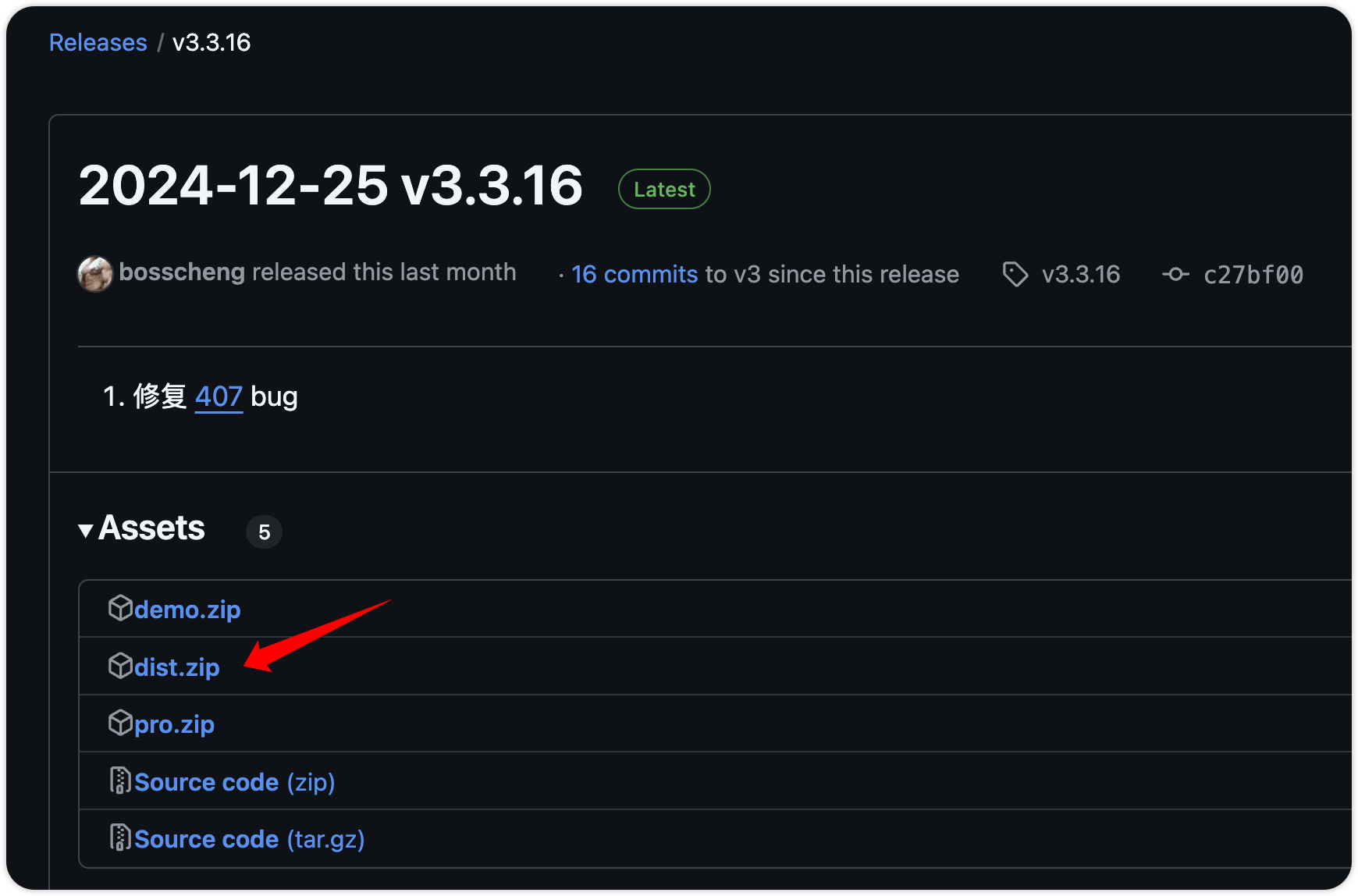
[打开 jessibuca 开源项目](https://github.com/langhuihui/jessibuca/releases/latest),下载 dist.zip 文件,将文件解压缩拷贝的项目目录 public/assets/js/ 下。
第二步 在 html 中导入脚本
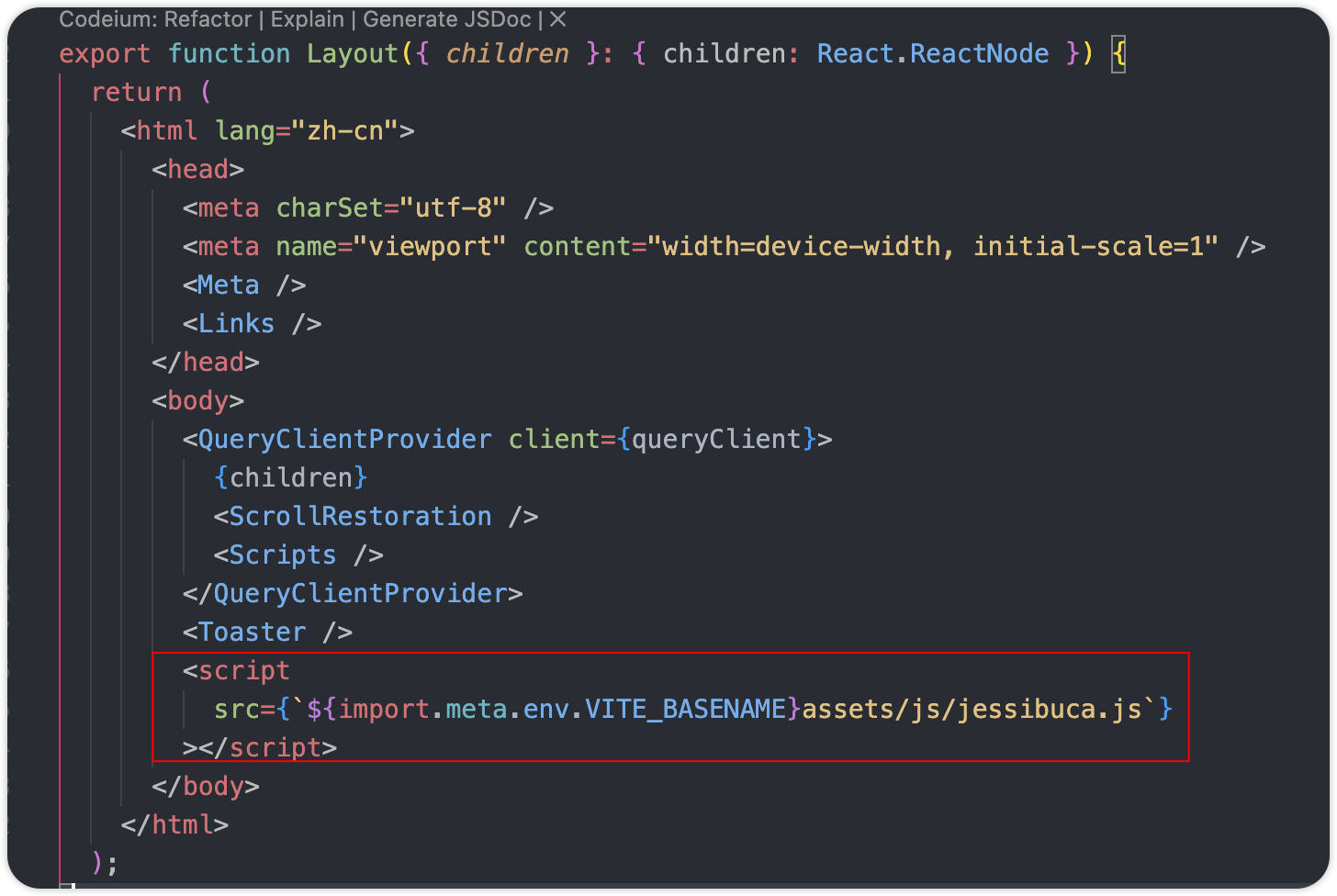
react-router v7 在是 root.tsx 文件中定义 Layout 函数,其返回了 HTML,截图中所示引用了环境变量,因为我们项目部署后有个前缀目录,注意别落下。
第三步 封装播放器
在 dist.zip 中存在 jessibuca.d.ts 文件,拷贝到 components/player 目录下,返回 div 标签,等会我们将播放器挂载到该标签里。
interface PlayerProps {
  ref: React.RefObject<PlayerRef | null>;
  link: string; // 播放的流地址
}

export default function Player({ ref,url }: PlayerProps) {
  const divRef = useRef<HTMLDivElement>(null);
  return <div className="w-full h-full bg-black" ref={divRef}></div>;
}
使用 useEffect 初始化 Jessibuca,Jessibuca.Config 是刚刚复制过来 jessibuca.d.ts 文件中定义的类型,ts 类属性语法提示很好用。
在初始化过程中最重要的四点
- 禁止重复创建 Jessibuca 播放器
- 初始化参数中
decoder一定要指定准确的位置,否则找不到解码器会播放黑屏 - 如果已经传递了流地址,在初始化完成后,就可以播放了。
 useEffect(() => {
   	// 播放器已经初始化,无需再次执行
    if (p.current) {
     	return;
    }
     const cfg: Jessibuca.Config = {
      container: divRef.current!,
      // 注意,这里很重要!! 加载解码器的路径
      decoder: `${import.meta.env.VITE_BASENAME}assets/js/decoder.js`,
      debug: true,
      useMSE: true,
      isNotMute: true,
      showBandwidth: true, // 显示带宽
      loadingTimeout: 7, // 加载地址超时
      heartTimeout: 7, // 没有流数据,超时
      videoBuffer: 0.2,
      isResize: true,
      operateBtns: {
        fullscreen: true,
        screenshot: true,
        play: true,
        audio: true,
        record: true,
      },
    };
    p.current = new window.Jessibuca(cfg);
	   // 如果传入了播放链接,在加载播放器以后就可以播放了
    if (link) {
      play(link);
    }
    return () => {
      console.log("🚀 ~ Jessibuca-player ~ dispose");
    };
  }, []);
window.Jessibuca(cfg) 会提示 window 没有 Jessibuca 这个函数,我们定义一个。
declare global {
  interface Window {
    Jessibuca: any;
  }
}
在上面初始化完成后,执行的 play 函数,用于播放流。
 const play = (link: string) => {
    console.log("🚀 Jessibuca-player ~ play ~ link:", link);
    if (!p.current) {
      console.log("🚀 Jessibuca-player ~ play ~ 播放器未初始化:");
      toastError({ title: "播放器未初始化" });
      return;
    }
    if (!p.current.hasLoaded()) {
      console.log("🚀 Jessibuca-player ~ play ~ 播放器未加载完成:");
      toastError({ title: "播放器未加载完成" });
      return;
    }

    p.current
      .play(link)
      .then(() => {
        console.log("🚀 Jessibuca-player ~ play ~ success");
      })
      .catch((e) => {
        toastError({ title: "播放失败", description: e.message });
      });
  };
还需要提供一个销毁函数,避免页面关闭后,播放器还在后台消耗资源。
  const destroy = () => {
    console.log("🚀 Jessibuca-player ~ play destroy");
    if (p.current) {
      p.current.destroy();
      p.current = null;
    }
  };
第四步 控制反转
控制反转是一种软件设计原则,它将对象的控制权从调用者转移到另一个对象或框架。
简单说一说
正常是组件控制自己的状态,或者父组件中定义状态,传递给子组件用。
控制反转是指在子组件中定义了状态,但将状态控制权交给了父组件,每个引用子组件的父组件就不需要定义那么多状态属性。
在 react 19 以前,子组件需要 forwardRef 函数接收 ref,那是旧时代的东西啦,该项目使用的正是 React 19.x,直接将 ref 作为参数传递即可。
通过 useImperativeHandle 将子组件的控制权交出去,也就是上面我们定义的函数。
  useImperativeHandle(ref, () => ({
    play, // 播放
    destroy, // 销毁
  }));
第五步 应用播放组件
playerRef 是播放器的控制器,用于调用 play 和 destroy。
link 是流连接,如果不传递此参数,需要主动调用 playerRef.current?.play(link) 来播放。
父组件的生命周期结束(即页面销毁时) 一定要调用playerRef.current?.destroy() 避免播放器还在后台消耗资源。
设置个最小宽高避免窗口缩放时,播放器变形,这就搞定了。
export type PlayerRef = {
  play: (link: string) => void;
  destroy: () => void;
};
// ......
const playerRef = useRef<PlayerRef>(null);
// 流地址
const [link, setLink] = useState("");
// 关闭弹窗,并销毁播放器
  const close = () => {
    setOpen(false);
    playerRef.current?.destroy();
  };
//.........
<Button variant="outline" onClick={close}>关闭</Button>
{/* 播放器设置一个最小宽高 */}
<div className="min-h-[10rem] min-w-[40rem]">
     <AspectRatio ratio={16 / 9}>
         <Player ref={playerRef} link={link} />
     </AspectRatio>
</div>
随着业务需求,播放器组件可以提供更多的控制函数,交由父组件调用。
总结
写代码很简单,除非它很难。如果它很难,写代码未必简单。
参考
[React 19 ref as a prop 官方文档](https://react.dev/blog/2024/12/05/react-19)
[React useImperativeHandle 官方文档](https://react.dev/reference/react/useImperativeHandle#usage)
[播放器 github.com/langhuihui/jessibuca](https://github.com/langhuihui/jessibuca)